Tech

DigiTech.sbs Image Compressor: Optimize Your Visuals Without Compromise

D
DigiTech
December 6, 2025 5 min read 131 views
DigiTech.sbs Image Compressor: Optimize Your Visuals Without Compromise

✨ Introduction: The Indispensable Role of Images in the Digital Age

In today's visually-driven digital world, images are no longer just an embellishment; they are the bedrock of effective communication, engagement, and user experience. From vibrant e-commerce product shots and compelling blog illustrations to professional portfolio showcases and captivating social media posts, high-quality visuals are crucial for capturing attention and conveying messages instantly. They tell stories, evoke emotions, and provide critical information in a fraction of the time it takes to read text.

However, this reliance on high-resolution, stunning imagery comes with a significant challenge: file size. Large image files can severely impact website loading speeds, consume excessive bandwidth, exhaust storage limits, and create frustrating user experiences. Imagine a potential customer abandoning your site because product images take too long to load, or your meticulously crafted blog post losing SEO ranking due to slow page performance. These are real, tangible problems that every digital creator, business owner, and webmaster faces.

This is where a powerful, efficient Image Compressor becomes an indispensable tool. It's not just about making files smaller; it's about optimizing your digital presence, enhancing user satisfaction, and ensuring your visuals work for you, not against you. Welcome to the world of DigiTech.sbs Image Compressor – your ultimate solution for superior image optimization.

🛠️ What is an Image Compressor and Why is it Essential?

At its core, an image compressor is a digital tool designed to reduce the file size of image files without significantly compromising their visual quality. It's a delicate balance between shrinking the data and preserving the aesthetic appeal.

The Problem with Large Image Files:

Slow Website Loading Times: This is perhaps the most critical issue. Users expect websites to load almost instantly. A study by Google found that a one-second delay in mobile page load time can impact conversion rates by up to 20%. Large images are often the primary culprit behind sluggish websites.

Poor User Experience (UX): Slow loading times lead to frustration, increased bounce rates, and a negative perception of your brand or content.

Reduced Search Engine Optimization (SEO): Search engines like Google prioritize fast-loading websites, especially for mobile users. Heavy images can directly hurt your SEO rankings.

High Bandwidth Consumption: For both website owners and visitors, large images mean more data transfer, leading to higher hosting costs and faster depletion of mobile data plans.

Storage Limitations: Whether you're uploading to a content management system (CMS), cloud storage, or your local device, large files quickly fill up available space.

Email Attachment Issues: Sending high-resolution images via email often hits attachment size limits, forcing you to use less convenient file-sharing methods.

How DigiTech.sbs Image Compressor Solves These Problems:

Our Image Compressor tackles these challenges head-on by intelligently processing your images. It works by employing advanced algorithms that identify and remove redundant or less perceptually important data, thereby creating a smaller, more efficient file.

⚙️ The Science Behind Image Compression: How It Works

To truly appreciate the power of an image compressor, it helps to understand the fundamental techniques it employs. Image compression can broadly be categorized into two types: Lossless and Lossy.

1. Lossless Compression:

This method reduces file size without discarding any data. When you decompress a lossless image, it's an exact replica of the original. Formats like PNG (for images with transparency or sharp edges) and GIF (for simple animations) often use lossless compression. While it's great for preserving every pixel, the file size reduction isn't always as dramatic.

2. Lossy Compression:

This is where the magic of significant file size reduction happens. Lossy compression permanently removes some data from the image. The trick is to remove data that the human eye is least likely to perceive, making the changes visually imperceptible or negligible. The most common format that uses lossy compression is JPEG (Joint Photographic Experts Group), which is ideal for photographs and images with continuous tones.

DigiTech.sbs Image Compressor: Leveraging Smart Lossy Compression

Our tool primarily utilizes smart lossy compression techniques, optimized for the web. Here’s how it typically works:

Color Reduction: Images can contain millions of colors. Often, many of these colors are very similar and can be approximated with fewer colors without a noticeable difference to the human eye. The compressor can reduce the color palette to a more manageable number.

Metadata Stripping: Image files often contain metadata (EXIF data) like camera model, date taken, GPS coordinates, thumbnail previews, etc. While useful for photographers, this data is generally unnecessary for web display and adds to the file size. Our compressor efficiently strips away this superfluous information.

Optimized Encoding: The way image data is stored and arranged can be made more efficient. Compression algorithms re-encode the image data in a more compact form.

Chroma Subsampling (for JPEGs): This technique leverages the fact that the human eye is more sensitive to changes in brightness (luminance) than to changes in color (chrominance). It reduces the color information in certain areas, resulting in significant file size savings without a major visible impact.

By intelligently applying these techniques, DigiTech.sbs Image Compressor dramatically reduces file size while maintaining a high level of visual fidelity.

🌟 Key Features and Benefits of DigiTech.sbs Image Compressor

Our Image Compressor isn't just another tool; it's a meticulously designed solution crafted to deliver exceptional results and a seamless user experience.

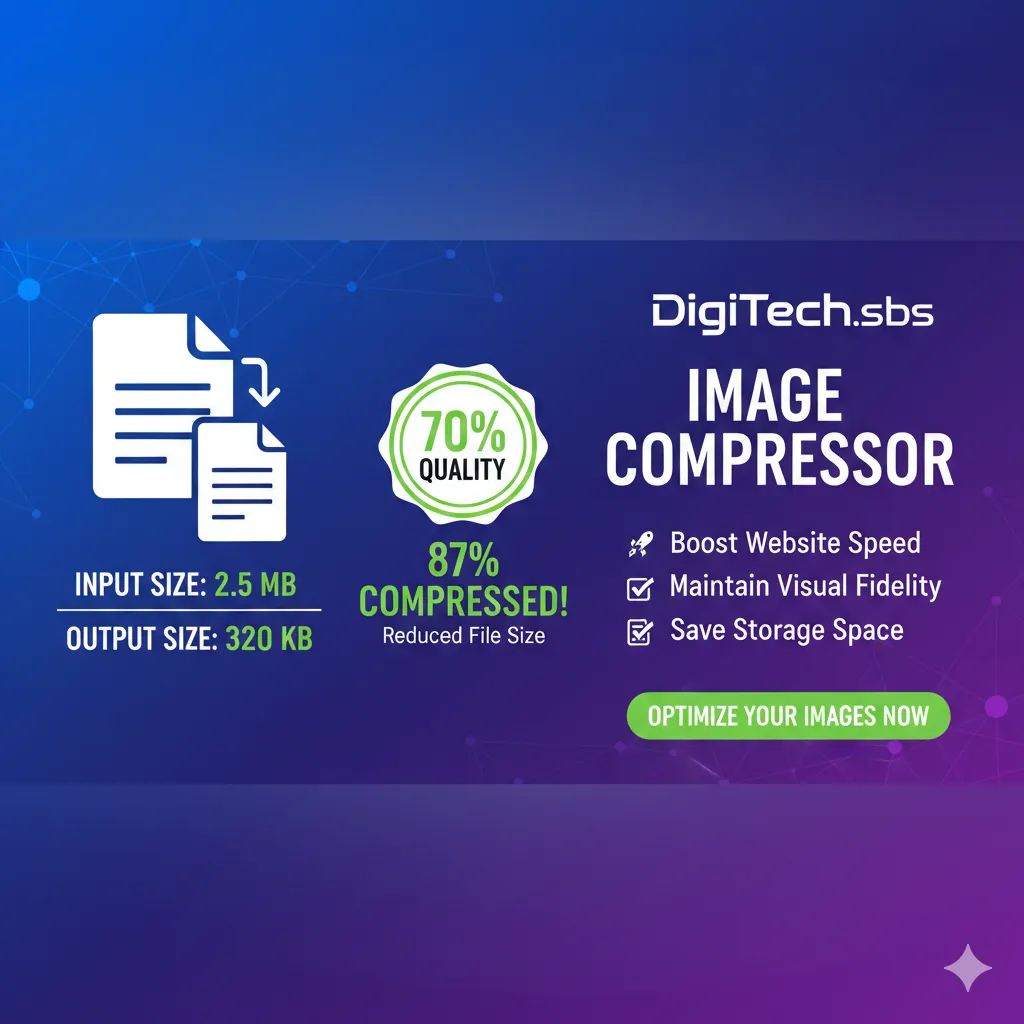
1. Impressive Compression Ratio with 70% Quality Preservation

We understand that while file size is important, image quality cannot be sacrificed. Our tool is engineered to achieve an optimal balance. It compresses images efficiently, typically reducing file sizes significantly, while maintaining image quality at approximately 70% of the original. This sweet spot ensures your visuals remain crisp, clear, and professional, without the pixelation or blur often associated with aggressive compression.

`

2. Transparent Input and Output Size Display

Knowledge is power. Before and after compression, our tool clearly displays the original file size (Input Size) and the compressed file size (Output Size). This transparency allows you to immediately gauge the effectiveness of the compression and see the tangible benefits you're gaining.

`

3. Visualize Your Savings: Compressed Percentage

Beyond just raw numbers, our compressor visually represents your efficiency gains. It shows you the exact percentage of reduction achieved, making it easy to understand how much storage space you’ve saved and how much faster your images will load. A higher percentage means greater savings and improved performance.

`

4. User-Friendly Interface: Simplicity at Its Best

We believe powerful tools should also be intuitive. DigiTech.sbs Image Compressor features a clean, straightforward interface that makes image optimization effortless for everyone, from tech novices to seasoned professionals. Just upload, compress, and download – it’s that simple!

5. Fast and Efficient Processing

Time is money, especially online. Our robust servers and optimized algorithms ensure rapid processing of your images, allowing you to compress multiple files quickly without frustrating delays.

6. No Software Installation Required (Web-Based)

Access the power of professional image compression directly from your web browser. There's no need to download or install any software, freeing up your device's storage and ensuring you always have access to the latest version of our tool.

7. Secure and Private

Your privacy and data security are paramount. Images uploaded to DigiTech.sbs are processed securely and deleted from our servers shortly after compression, ensuring your sensitive content remains confidential.

8. Multi-Format Support (JPEG, PNG, etc.)

Whether you're working with photographs (JPEG) or graphics with transparency (PNG), our compressor handles a variety of popular image formats, making it a versatile solution for all your optimization needs.

🌍 Who Can Benefit from DigiTech.sbs Image Compressor?

The applications and benefits of an efficient image compressor are vast and touch almost every digital domain.

1. Web Developers & Designers:

Faster Website Performance: Deliver lightning-fast websites that delight users and rank higher on search engines.

Optimized Assets: Easily prepare all visual assets for web deployment, reducing bandwidth and server load.

Enhanced SEO: Contribute to better page speed scores, a critical factor for SEO.

2. Bloggers & Content Creators:

Engaging Visuals Without Slowdown: Incorporate high-quality photos and graphics into your articles without increasing load times.

Improved Reader Experience: Keep readers engaged with quickly loading content, reducing bounce rates.

Better Search Rankings: Faster pages mean more visibility for your content.

3. E-commerce Store Owners:

Quick-Loading Product Pages: Ensure product images load instantly, crucial for converting browsers into buyers.

Professional Product Showcases: Maintain stunning visual quality to accurately represent your products.

Reduced Cart Abandonment: A smooth browsing experience minimizes reasons for customers to leave.

4. Digital Marketers:

Effective Ad Campaigns: Create optimized images for social media ads, banner ads, and email campaigns that load quickly and look great on any device.

Improved Campaign Performance: Faster loading landing pages and ad creatives lead to higher engagement and better conversion rates.

5. Photographers & Graphic Artists:

Online Portfolio Optimization: Showcase your work with beautiful, fast-loading images on your portfolio website.

Efficient Client Delivery: Share image proofs and final assets with clients more easily via email or cloud services.

Reduced Storage Needs: Save valuable storage space on your hard drives and cloud backups.

6. Students & Educators:

Optimized Presentations: Create image-rich presentations that are easy to share and load quickly.

Efficient Document Sharing: Reduce the size of academic papers or projects with embedded images for easier submission.

7. Small Businesses & Startups:

Professional Online Presence: Build a credible and appealing online presence without investing in complex image editing software.

Cost Savings: Reduce hosting bandwidth costs and make the most of limited storage.

📈 The Impact of Image Optimization on SEO and User Experience

It's impossible to overstate the connection between image optimization, SEO, and user experience. They are intricately linked, forming a virtuous cycle when done right.

SEO Benefits:

Page Speed is a Ranking Factor: Google explicitly uses page speed as a ranking signal. Faster sites are favored in search results.

Improved Crawlability: Search engine crawlers can process optimized pages more quickly, leading to better indexing.

Mobile-First Indexing: With mobile devices dominating internet traffic, Google's mobile-first indexing means your site's mobile performance (heavily impacted by image size) is paramount.

Image SEO: While not directly compressing for this, smaller files free up resources that can be used for proper image alt text, captions, and structured data, further boosting image SEO.

User Experience (UX) Benefits:

Reduced Bounce Rate: Users are less likely to leave a fast-loading website.

Increased Engagement: A smooth, responsive site encourages users to explore more content.

Better Conversion Rates: Whether it's a purchase, a sign-up, or a download, a positive UX directly correlates with higher conversion rates.

Accessibility: Faster pages are more accessible to users with slower internet connections or older devices.

Professional Perception: A fast, well-optimized website signals professionalism and attention to detail, building trust with your audience.

By using DigiTech.sbs Image Compressor, you are actively investing in all these crucial aspects of your digital strategy.

🚀 How to Use DigiTech.sbs Image Compressor (Step-by-Step)

Optimizing your images is incredibly simple with our tool. Follow these quick steps:

Visit DigiTech.sbs: Open your web browser and navigate to our Image Compressor tool.

Upload Your Images: Click on the "Upload Image" button or simply drag and drop your image files into the designated area. You can upload multiple images for batch processing.

Review Compression: Our tool will automatically process your images. Once complete, you’ll instantly see the Input Size, Output Size, and Compressed Percentage for each image. Remember, our quality preservation is set to a smart 70% to give you the best balance.

Download Your Optimized Images: Click the "Download" button for individual images or a "Download All" button if you’ve processed multiple files. Your perfectly optimized images will be ready for use!

It's genuinely that straightforward to achieve significant file size reductions without compromising the visual integrity of your important visuals.

✅ Best Practices for Image Optimization (Beyond Compression)

While DigiTech.sbs Image Compressor handles the heavy lifting, adopting a few best practices can further enhance your image optimization strategy:

Choose the Right Format:

JPEG: Best for photographs and complex images with many colors and gradients.

PNG: Ideal for images with transparency, sharp lines, text, or fewer colors (like logos or icons).

SVG: For scalable vector graphics (logos, icons, illustrations) that look sharp at any size.

WebP/AVIF: Modern formats offering superior compression and quality. Consider converting to these formats if your platform supports them.

Crop Images Judiciously: Remove unnecessary elements or empty space around the subject before compression. A smaller image area naturally means a smaller file size.

Resize to Display Dimensions: Never upload an image that is significantly larger than its actual display size on your website or platform. If an image will display at 800px width, there’s no need to upload a 3000px wide image. Resize it first, then compress.

Implement Lazy Loading: This technique delays the loading of images until they are about to enter the user's viewport, improving initial page load times. Many CMS platforms and plugins offer this feature.

Use Descriptive Alt Text: While not directly impacting file size, alt text is crucial for SEO (helping search engines understand image content) and accessibility (for visually impaired users).

Consider a Content Delivery Network (CDN): For larger websites, a CDN can significantly speed up image delivery by serving content from servers geographically closer to your users.

By combining these practices with the powerful compression capabilities of DigiTech.sbs, you'll create an unbeatable image optimization workflow.

🔮 The Future of Visuals and Compression

As internet speeds increase and screen resolutions become ever more stunning, the demand for high-quality, immersive visuals will only grow. At the same time, the need for efficient delivery will remain paramount. The future of image compression will likely involve more advanced AI-driven algorithms, even smarter lossy techniques that adapt to content, and wider adoption of next-generation formats like WebP and AVIF.

DigiTech.sbs is committed to staying at the forefront of these innovations, continually refining our tools to provide you with the best possible solutions for your digital needs. We aim to be your trusted partner in navigating the evolving landscape of web performance and visual excellence.

✅ Conclusion: Unleash the Full Potential of Your Images with DigiTech.sbs

In the competitive digital arena, every millisecond and every byte counts. Your images are powerful assets, but only when they are optimized to perform at their best. Large, uncompressed visuals are no longer an option; they are a barrier to success.

With DigiTech.sbs Image Compressor, you gain a powerful, easy-to-use tool that empowers you to:

Significantly reduce image file sizes

Maintain a high standard of visual quality (approx. 70%)

Boost your website's loading speed and SEO

Enhance user experience and engagement

Save valuable storage space and bandwidth

Effortlessly manage your digital assets with clear input/output sizes and compression percentages

Stop letting oversized images hinder your online presence. Start optimizing your visuals today with DigiTech.sbs Image Compressor and experience the difference that truly efficient imagery can make.

Ready to transform your images? Visit DigiTech.sbs now and compress your first image!

Share this article

Loading Comments...